|
Hello,
Bridge Wallet can now swap any token that you have added to your wallet manually, not just the ones we support by default.
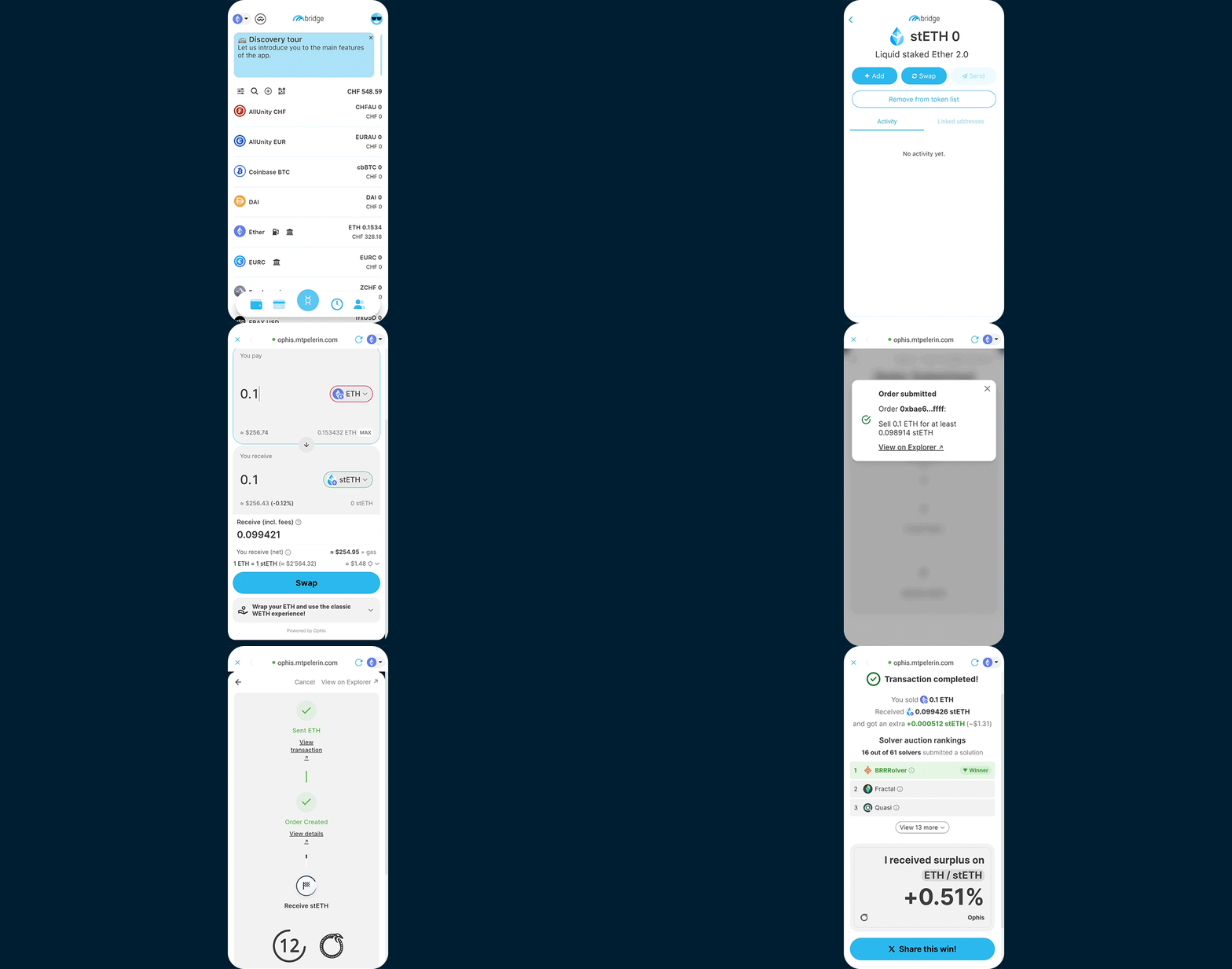
So if you have a token we don't list, you no longer need to go elsewhere to swap it. You can do it right from that token's screen:
See video on YouTube
How it works
- Tap the + icon on the app's main wallet screen.
- Find your token by name, by contract address, or by scanning its QR code from a block explorer.
- Tap the token in your wallet, then tap Swap and confirm the token import if prompted.
- Choose what you'd like to swap it for, type an amount, confirm and you're done!
This new feature is powered by Ophis, a DEX aggregator that routes each swap to the best available price.
And there's more: any swaps worth $100 or more made with Ophis can earn you rewards! More info here, Ophis terms apply.
Make sure to have the latest version (1.73) of Bridge Wallet installed on your phone to access this new feature!
Please note that tokens you add manually aren't vetted by us, they can be scams or tokens with no liquidity. Always double-check the token contract address and do your own research.
If you have any questions about swaps in Bridge Wallet, you can reply to this email directly.
Kind regards,
The Mt Pelerin team
|